Learning does not have to feel like a chore anymore. Many students tune out during long lectures and standard paper quizzes. Teachers often struggle to keep everyone focused until the final bell rings. Fortunately, Blooket changes the game by turning boring study sessions into exciting competitions. You answer trivia questions to earn points, collect cute characters, and win battles. It feels just like playing a real video game right inside your classroom. Whether you are a teacher or a student, this guide shows you everything you need to know. Let us dive into how this clever platform makes studying feel effortless and fun.
Platform Overview and Quick Facts
Before jumping into the action, it helps to know the story behind this popular website. A high school student named Ben Stewart started building the site back in 2018. He wanted a tool that gave every student a fair chance to win. Later, his brother Tom joined the team to help manage daily operations. Today, millions of teachers and learners use the site every single week. Here is a complete table breaking down all the essential details about the platform.
| Feature / Detail | Complete Information |
| Platform Name | Blooket |
| Founders | Ben Stewart and Tom Stewart |
| Year Founded | 2018 (Public launch in 2020) |
| Headquarters | Middletown, Delaware, United States |
| Platform Type | Web-based educational trivia and review game platform |
| Official Website | www.blooket.com |
| Join Portal | play.blooket.com |
| Total Game Modes | Over 25 unique modes (including free, paid, and seasonal) |
| Question Sets | Over 20 million user-created and verified sets |
| Pricing Tiers | Starter (Free), Plus (4.99/mobilledyearly),PlusFlex(9.99/mo) |
| Max Live Players | Up to 60 on Free plan; up to 300 on Plus plans |
| Supported Devices | Computers, tablets, Chromebooks, and smartphones via web browser |
How Does This Learning Platform Work?
At its core, Blooket combines simple multiple-choice questions with fast-paced mini-games. A teacher picks a topic and selects a fun game style to host. Students then join the live room on their own phones, tablets, or laptops. Every time you answer a question right, you earn an in-game action. For example, you might open a treasure chest, serve food to customers, or defend a tower. Because luck and strategy play huge roles, anyone can take the lead at the last second.
Why Teachers and Students Love Using It
Traditional review games often punish kids who make one early mistake. Once you fall behind on the scoreboard, it feels impossible to catch up. That frustration makes many learners give up before the round even ends. With Blooket, smart strategy and lucky breaks keep everyone hooked until the final second. In my own experience testing classroom tools, shy students suddenly start cheering when they swap gold with the class leader. Teachers also love the site because it saves hours of prep time. You can grab a ready-made quiz in seconds and launch a game immediately.
Step-by-Step Guide to Creating a Free Account
Getting started takes less than two minutes and costs zero dollars. Follow these simple steps to set up your profile today:
- Open your favorite web browser and visit the official homepage.
- Click the bright Sign Up button located near the top right corner.
- Choose whether you are signing up as a teacher or a student.
- Register quickly using your Google email or any standard email address.
- Pick a fun username and agree to the basic safety terms.
Keep in mind that students must be at least 13 years old in the United States to make an account. Outside the country, users usually need to be 16 or older. Younger kids can still play live games without ever signing up.
How to Host a Live Game in Class
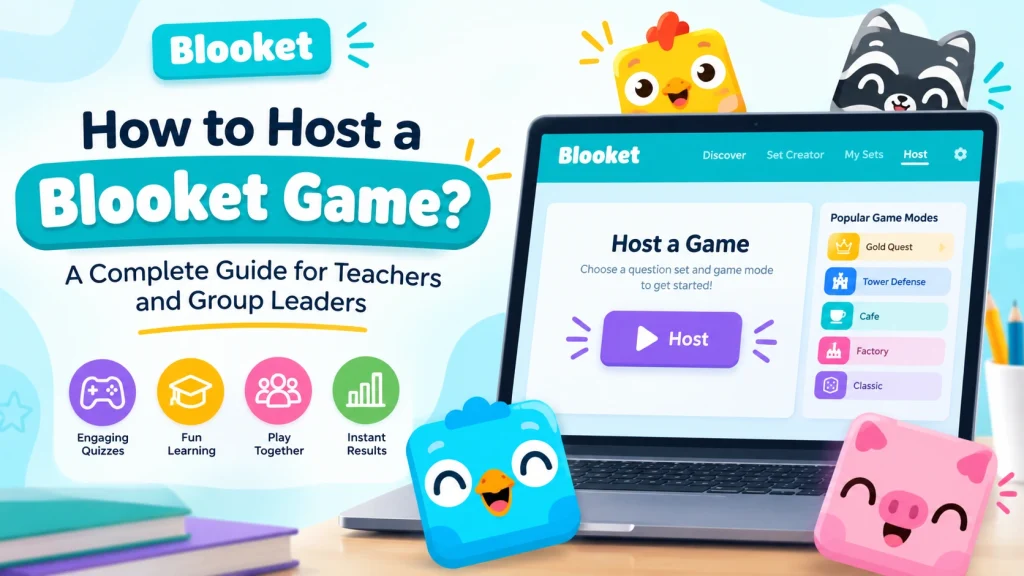
Once your dashboard is ready, hosting a live match for your group is super easy. First, browse the Discover tab to find a question set that fits your lesson. Click the Host button on the quiz page to view all available game styles. After picking a mode, adjust your time limit or goal settings to match your class schedule. Finally, press Host Now to display a unique seven-digit game ID on your big screen. Students simply type that code into their browsers and pick a cute character.
How Students Can Join a Game Fast
Students never need to download bulky apps or wait through slow updates. You can jump straight into Blooket using three quick methods:
- Game Code: Visit the play portal, type in the special digits on the board, and press enter.
- QR Code: Point your tablet or phone camera at the screen to open the room instantly.
- Direct Link: Click the join link shared inside Google Classroom or your school chat.
After entering the lobby, type your nickname or spin for a funny random name. Pick your favorite character icon while you wait for the host to start.
Most Popular Game Modes You Must Try
The platform offers over 25 different ways to play, so lessons never feel stale. Here are the fan-favorite modes that get the loudest cheers in class:
- Gold Quest: Answer questions to open three mystery chests. You might find piles of gold, lose half your stash, or steal coins from a friend.
- Crypto Hack: Collect digital coins and guess other players’ secret passwords to hack their vaults.
- Tower Defense: Build mighty towers along a winding path to stop waves of enemies from passing.
- Cafe: Serve tasty food to hungry customers by answering trivia questions quickly.
- Factory: Hire quirky workers and upgrade their speed to earn massive amounts of cash.
Building Custom Question Sets and Importing Quizzes
While millions of public quizzes exist, you might want questions tailored to your exact worksheet. Creating your own set on Blooket is smooth and flexible. Click the Create button on your dashboard, add a title, and upload a cover image. You can type questions from scratch, add pictures, and set custom time limits for each prompt. Even better, the site lets you import existing flashcards directly from Quizlet. That handy trick transfers your old study lists into playable games in under one minute.
Using Solo Mode and Homework Assignments
Learning does not stop when students walk out the classroom door. Teachers can assign Blooket games as interactive homework with just a few clicks. Instead of filling out a boring paper packet, kids play Tower Defense or Factory at home. The system tracks their progress and sends a clear report straight to the teacher. Students can also practice completely on their own using Solo mode. There is even a calm Study mode that works like digital flashcards without timers or stress.
Collecting Blooks and Daily Tokens
Every game you finish rewards you with shiny tokens and experience points. Students love visiting the virtual Market to spend their hard-earned coins on mystery packs. Opening a pack unlocks new characters called Blooks, ranging from common animals to ultra-rare astronauts. You can earn up to 500 tokens each day just by playing and answering questions. Plus, you can sell duplicate characters back to the shop for extra coins. This fun reward loop motivates kids to practice math, science, and spelling on their own time.
Free Plan vs. Blooket Plus Pricing
You can enjoy almost the entire Blooket experience without spending a penny. The free Starter tier lets you build unlimited sets, host games for 60 players, and access most modes. However, busy educators might like the extra perks inside the paid upgrades. Blooket Plus costs $4.99 per month when billed yearly. It boosts your room limit to 300 players, unlocks exclusive modes, and gives detailed student reports. If you prefer paying month by month, Plus Flex costs $9.99 and lets you cancel anytime.
Pro Tips for Getting the Best Results
Want to make your next game session run smoothly? Keep these practical tips in mind:
- Preview Public Sets: Always check community quizzes before class to ensure every answer is accurate.
- Set Time Limits: Choose a seven-minute timer instead of a point goal so games end right on schedule.
- Use Random Names: Turn on the random name generator if students waste time typing silly nicknames.
- Review Missed Questions: Look at the end-of-game report to see which topics confused your group the most.
Final Thoughts
Bringing energy into a quiet classroom takes the right mix of fun and structure. Blooket succeeds because it respects both the teacher’s schedule and the student’s love for play. You get meaningful review practice wrapped inside colorful, exciting mini-games that kids ask to play again. Whether you teach third-grade math or high school history, this tool fits right into your routine. Head over to the site today, pick a topic, and host your first match. Your students will thank you for making study time the best part of their day!
Frequently Asked Questions (FAQs)
1. Is Blooket completely free to use for teachers and students?
Yes, the core platform is 100% free for everyone. Teachers can create unlimited question sets and host live games for up to 60 players at zero cost. Paid upgrades only add extra reporting tools and larger room limits.
2. Do students need an account to join a live game?
No, students never need an account to play in a live classroom session. They simply visit the join page, enter the game code, pick a nickname, and start playing right away.
3. Can I play Blooket on a phone or iPad?
Yes, the website works smoothly on smartphones, tablets, Chromebooks, and desktop computers. Because it runs directly inside your web browser, you do not need to download any app.
4. What is the best game mode for beginners?
Gold Quest and Cafe are wonderful choices for new players. Both modes feature simple rules that kids understand in seconds while keeping the competition lively and fair.
5. How many players can join one Blooket room?
On the free Starter plan, up to 60 people can join a single live game. If you upgrade to a Plus subscription, your room limit expands to 300 players at once.
6. Can teachers import quizzes from other websites?
Yes, you can easily import existing question sets from Quizlet into Blooket. The built-in import tool copies your terms and definitions automatically so you can start playing immediately.